
We put a wall screen in the meeting room and it changed the standups
For years the Đà Nẵng meeting room ran on a projector that needed the blinds drawn and a thirty-second warm-up before anyone could read a chart. Half of every standup was someone squinting at a campaign dashboard projected too small, asking which line was spend and which was revenue. We stopped doing afternoon reviews in there because the room was either too bright to see the screen or too dark to keep anyone awake.
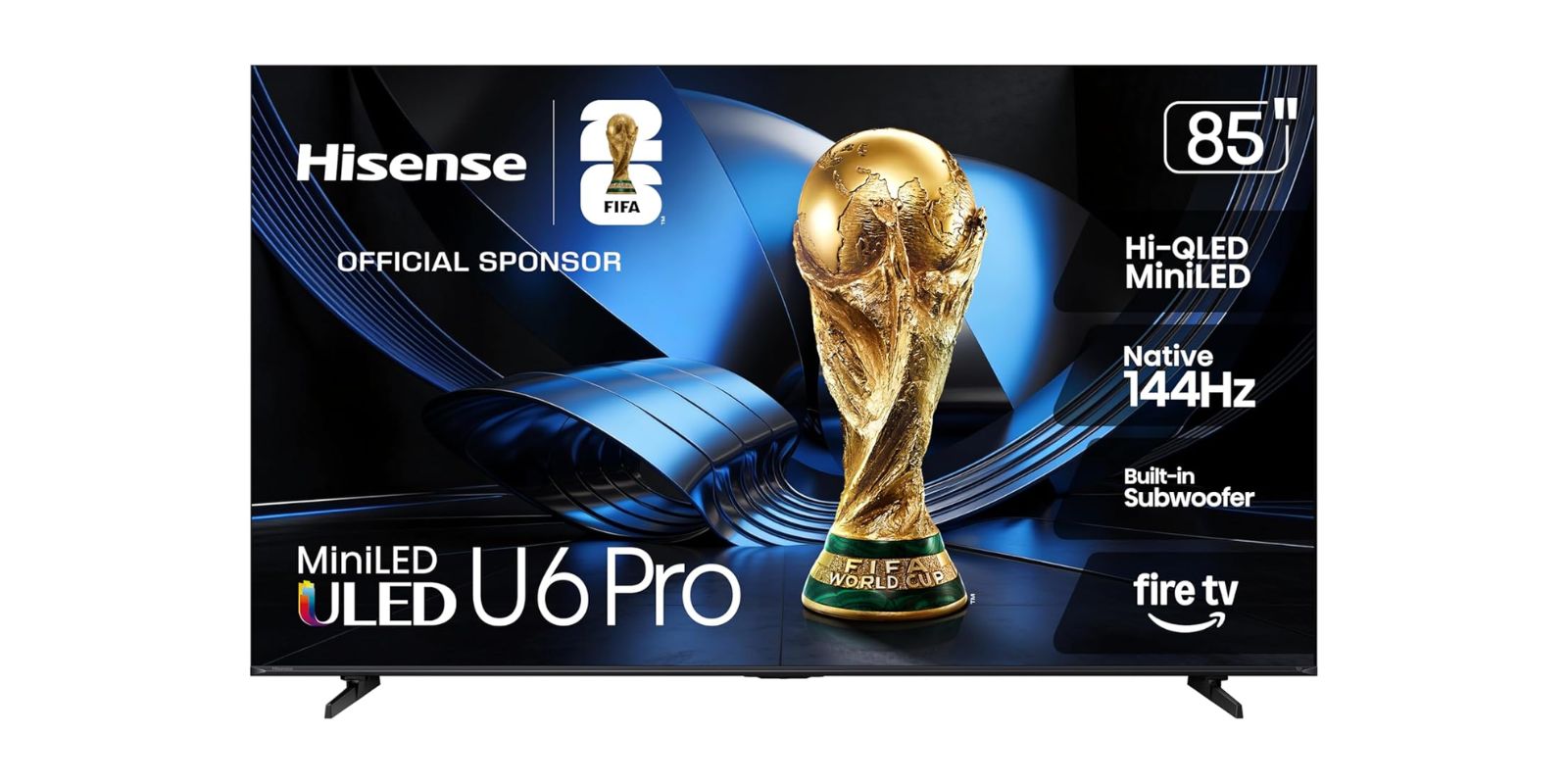
So we put a big screen on the wall instead. Not a monitor, an actual TV, because the room is shared and the use cases are mixed: dashboards in the morning, the occasional client call on the big display, an all-hands when London dials in, and yes, football and the odd movie after hours. Thảo was the one who pushed for it after the third time a quarterly review stalled on "can everyone see this." We landed on the Hisense 85" U6 Pro, which is an 85-inch mini-LED with Fire TV baked in.
It has been on the wall for a few weeks now. The dashboards are legible from the back of the room. People stopped leaning forward. That is most of what we wanted, and it delivered it. The rest of this post is the honest read on what an 85-inch budget-brand mini-LED is and is not, because if you are reading this for a desk, you are reading the wrong post.
Who Actually Needs This
Not you, probably, if you are shopping for one person at a desk. An 85-inch panel two feet from your face is a neck injury, not a monitor. This is a shared-room purchase. It earns its place when more than a few people need to see the same thing at once, from across a room, in mixed lighting.
- 📊 Teams that review dashboards or metrics together and are tired of squinting at a projector
- 🤝 Offices that run the occasional client call or all-hands on a big display
- ⚽️ A shared space that doubles as the after-hours football and movie room
- 🏠 Large living rooms where the screen is genuinely the centerpiece, not a desk accessory
What It Gets You
A mini-LED panel that handles a bright room
The thing that actually mattered for us was the glare-free, anti-reflection screen. Our meeting room has windows on one side and we are not going to draw blinds for a standup. The matte finish kills the worst of the reflections, and the mini-LED backlight (lots of small dimming zones behind a quantum-dot QLED layer) gives you enough brightness and contrast that a chart with thin gridlines stays readable in daylight. It is not an OLED. More on that below. For a shared room read in the morning, it is the right trade.
The spec sheet, translated
The box says Native 144Hz, MotionRate 480, Dolby Vision IQ, Dolby Atmos, HDR10+, and "Gaming AI." Here is the marketing-insider version, because reading product copy for a living ruins you a little. The number that is real is "Native 144Hz," the actual refresh rate of the panel, which matters if someone plugs in a console after hours. "MotionRate 480" is not a refresh rate; it is a Hisense marketing index that blends the real refresh with motion processing. It is a bigger number stacked on top of the real one to make the box look better on a shelf. "Gaming AI" and "Hi-View AI Engine" are the picture processing doing automatic adjustments, which is fine, sometimes helpful, and occasionally the thing you turn off. None of it is a lie exactly. It is just spec-stacking, and once you have written enough of these pages you can see the seams.
Fire TV built in, for better and worse
It runs Fire TV out of the box, with Alexa+ for voice. For a meeting-room screen that is convenient: apps are right there, you can cast to it, no extra dongle hanging off the back. The trade is that it is Amazon's interface, which means ads on the home row and an app store that is theirs, not yours. For a shared room nobody is precious about, that is a fair deal. If you wanted a clean, neutral display, you would buy a "monitor" panel without the smart layer and add your own box.
💡 Tien's Note
For dashboards, turn off the motion smoothing and the "AI" picture modes the first day. The processing that makes football look fluid makes spreadsheets and slides look slightly wrong, with a faint shimmer on fine text. Five minutes in the settings menu and our charts went from "off" to "sharp."
The Honest Version
This is a 2026 model and it shows in the review count: 4.6 stars across just 15 ratings as of writing. That is almost nothing. A high average on 15 reviews tells you very little, and you should treat it as such. There is not a body of long-term feedback here yet, no two-years-in reports on whether the panel holds up, no large enough sample to know how common any given complaint is. We are early buyers, and so is everyone else who has one.
What we can tell you from the screen on our wall, and from what this category generally does:
- 🖥️ It is mini-LED, not OLED. In a dim room a true black scene will show some blooming, a faint halo around bright objects on dark backgrounds. Fine for dashboards and daytime use. Noticeable if you are a movie purist watching in the dark.
- 📺 Fire TV has app quirks. Occasional sluggishness, an update that rearranges things, the usual smart-TV churn. For a shared room it is a shrug. For a primary home theater you may end up adding a separate streaming box anyway.
- 🔇 The built-in subwoofer is better than most flat-panel audio, which is a low bar. For an all-hands it is fine. For movie night you will still want a soundbar.
- 📦 It is 85 inches. Measure the wall, measure the door, and check two people can carry it. This is not a thing you bring home in a tote bag.
None of that makes it the wrong buy. It makes it what it is: a large, bright, capable shared-room screen from a value brand, with the trade-offs that come with not paying OLED money. We did not buy it to be a reference display. We bought it so the back row could read the revenue line, and it does that.
The projector is in a cupboard now. Nobody has asked for it back. The afternoon reviews are happening in that room again, blinds up, and so far the only argument it has caused is whose turn it is to pick the after-hours movie.
As Amazon Associates we earn from qualifying purchases. This comes at no extra cost to you.